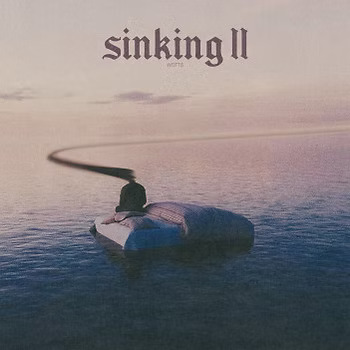
Sinking II Review

Sinking II is a survival horror title that drops you into a partially submerged, decaying city and challenges you to piece together what caused the catastrophe. The publisher’s marketing promises “the most immersive underwater horror experience available” — a phrase that means exactly nothing. Here’s what $29.99 actually buys you, and how it stacks up against everything else in the genre right now.
What Sinking II Actually Delivers Beyond the Marketing
The original Sinking built a cult following on oppressive atmosphere and a resource management loop that made every decision feel consequential. Sinking II keeps that core identity but overhauled the systems underneath — bigger map, denser narrative, and a sanity mechanic borrowed from Amnesia: The Dark Descent and expanded into something more systemic. The result is a game that feels like a genuine sequel rather than a content patch.
The core loop: navigate a flood-devastated urban environment, scavenge for oxygen tanks, batteries, food, and psychological stability, and avoid or survive encounters with the entities that have taken up residence. Four resource meters run simultaneously. Managing all four during the mid-game’s extended underground sections is where the difficulty reputation is earned, and where underprepared players hit a wall.
Gameplay Mechanics: What Works and What Frustrates
Combat is intentionally limited. You have a stun baton for close encounters and a bolt gun that takes 12 seconds to reload. The game wants you to route around threats, not beat them — hiding in lockers, cutting power to lure enemies away, sacrificing sanity by operating in the dark to create escape windows. Players expecting action-forward gameplay will hit a wall within the first two hours. Players who enjoyed the helplessness of Amnesia: The Dark Descent or SOMA will recognize the design philosophy immediately and lean into it.
The map system is the strongest new addition. Each district reveals on a 2.5D overhead view as you explore — similar to how Hollow Knight handles cartography, but with more environmental annotation. It makes the non-linear map navigable without handholding, which matters when you’re backtracking across a large area at low battery.
The autosave-only structure is the most divisive change from the original. No manual saves. No checkpoints you can reload. If you’re 40 minutes into a district run and drain your oxygen through a routing mistake, you carry that consequence forward. Some players will find this exactly the kind of pressure survival horror needs. Many won’t, and the game never warns them upfront.
Technical Performance Across Platforms
Available on PC via Steam ($29.99), PlayStation 5 ($34.99), and Xbox Series X/S ($34.99). No Nintendo Switch version as of 2026. On a mid-tier PC — RTX 3060, 16GB RAM — the game runs at a stable 80–100fps at 1440p on medium settings. PlayStation 5 performance mode delivers a mostly clean 60fps, with occasional dips during the flooding sequences that dominate the mid-game. Xbox Series S runs at 900p upscaled due to memory constraints, a noticeable downgrade compared to the other platforms.
Load times on PS5 stay under 8 seconds from menu to gameplay. On PC with an NVMe SSD, under 5 seconds. Controller support on PC maps cleanly for both Xbox controllers and DualSense; haptic feedback on DualSense is present but underd given how well it could reinforce the underwater mechanics.
The Story — Does It Actually Pay Off?
More convincingly than the marketing suggests. There’s a genuine three-act mystery about the city’s collapse, delivered through environmental storytelling, text logs, and roughly 40% voiced dialogue. The writing avoids Lovecraft-adjacent vagueness — no “you cannot comprehend its form” passages — and commits to grounded body horror instead. That restraint makes the moments of genuine dread land harder.
Three endings exist, determined not by binary choices but by resource management decisions made hours earlier. Discover them by playing differently rather than by following a guide at a decision tree. The ambiguity of the final act will frustrate players who want explicit resolution. For everyone else, the structure is genuinely well-crafted.
Total playtime: 14–18 hours for a first playthrough. No New Game+ mode. Completionists chasing all three endings add 2–4 hours on subsequent runs.
How Sinking II Compares to the Competition
Before paying full price, you should know what else $30 buys in the survival horror space. The numbers below reflect full PC pricing — every one of these games goes on sale regularly, so the sale column matters as much as the launch price.
| Game | PC Price | Platforms | Horror Style | Playtime | Typical Sale Price |
|---|---|---|---|---|---|
| Sinking II | $29.99 | PC, PS5, Xbox Series | Survival / Atmospheric | 14–18 hrs | ~$20 at 33% off |
| Dredge (Black Salt Games) | $24.99 | PC, PS4/5, Switch, Xbox | Cosmic Horror / Fishing | 12–15 hrs | ~$12.50 at 50% off |
| The Sinking City (Frogwares) | $29.99 | PC, PS5, Xbox, Switch | Lovecraftian Detective | 20–25 hrs | ~$9.99 frequently |
| Darkwood (Acid Wizard Studio) | $14.99 | PC, PS4, Xbox, Switch | Survival Horror / Top-Down | 15–20 hrs | ~$4.49 at 70% off |
| SOMA (Frictional Games) | $29.99 | PC, PS4 | Sci-Fi / Existential Horror | 8–10 hrs | ~$7.49 frequently |
| Subnautica (Unknown Worlds) | $29.99 | PC, PS4/5, Xbox, Switch | Survival / Exploration | 30–50 hrs | ~$7.49 at 75% off |
The Sinking City from Frogwares — unrelated to Sinking II despite the name overlap — gives you 20–25 hours at the same launch price and regularly drops to $9.99. If story depth per dollar is the metric, that’s the stronger buy at full price. Darkwood at $14.99 from Acid Wizard Studio is the most underrated alternative in the category: comparable survival loop, better replayability, Switch support, and available at $4.49 on deep sale. Half the price, more content hours, and a top-down perspective that some players will actually prefer.
Dredge ($24.99, Black Salt Games) is lighter on scares but delivers a more polished end-to-end experience and runs on Nintendo Switch — a platform Sinking II ignores entirely. If you’re buying for a Switch player or someone new to horror games, Dredge is the safer recommendation.
Subnautica at the same $29.99 offers 2–3x the content hours, though it leans survival sandbox over horror. If the buyer wants value-per-hour above atmosphere, Subnautica wins.
Bottom Line: Sinking II is fairly priced at $29.99 for atmosphere-first players. Budget-conscious buyers should set a price alert at $20 and wait for the inevitable 33% sale.
Who Should Skip Sinking II
Skip it if you need combat depth, a definitive narrative resolution, or a consistent 60fps on console without performance-mode caveats. The autosave-only structure and the deliberately broken combat system are not flaws to patch — they are the game’s design pillars. A meaningful portion of the horror audience will find both actively frustrating, and the marketing does not communicate this clearly enough to justify a $34.99 console impulse buy.
Four Mistakes Buyers Make Before Purchasing Horror Games Like This
These errors come up repeatedly in refund requests and negative reviews for survival horror games in this tier. Worth knowing before you spend.
- Buying based on a 90-second highlight clip. Survival horror trailers are curated to show the most visually dense 90 seconds of a 16-hour game. Sinking II’s opening district is deliberately slow — low threat density, high atmosphere, minimal mechanics. It reads as boring in preview clips and pays off by hour three. Watch a full 20-minute first-impression video before purchasing.
- Ignoring platform-specific version differences. The Xbox Series S version runs at 900p upscaled due to memory constraints, compared to native 1440p on PS5 performance mode. This detail is buried in patch notes, not featured in the storefront listing. If you’re on Series S and care about visual fidelity, wait for a resolution patch or buy on PC at $5 less.
- Assuming a sequel is a uniform upgrade. Sinking II’s autosave-only system is a significant departure from the original’s manual save structure. Veterans of the first game have strong, divided opinions about this change. Check the changelog before assuming “II” means better across every dimension — in this case, it means different, and whether that’s better depends entirely on your preferences.
- Not using the Steam refund window. Steam’s 2-hour refund window exists precisely for this genre. Horror games are more polarizing than almost any other category — personal atmospheric compatibility in the first 90 minutes is the most accurate predictor of whether you’ll enjoy the full game. If the pacing doesn’t connect by the time you clear the opening district, request the refund. There is no hidden second act that reverses a mismatched experience.
Sinking II Buyer’s Checklist: The Questions That Actually Matter
What’s the best platform version to buy?
PC via Steam ($29.99) is the optimal version — highest resolution output, most stable framerate, mod support that’s already producing quality-of-life improvements, and the lowest price of the three platforms. PlayStation 5 ($34.99) is the best console option; performance mode holds a mostly clean 60fps and load times stay under 8 seconds. Xbox Series S is the weakest choice due to the 900p upscaled output. If Series S is your only platform, the game is playable — it’s not broken — but it’s not the intended visual experience and the resolution compromise is visible on a large screen.
Is Sinking II meaningfully better than the original?
In most respects, yes. The map design is stronger, the story has more substance, and the environmental density is noticeably higher. The autosave-only system and more linear structure are genuine trade-offs rather than improvements — they shift the game’s feel considerably. If the original’s atmosphere didn’t connect with you in the first two hours, this won’t convert you. The fundamental tone is unchanged; the execution is more refined.
What accessibility options does the game include?
More than most horror games at this price point. Subtitle sizing options, three colorblind modes, and a “reduced horror intensity” toggle that limits sudden audio scares and visual distortion effects. The sanity mechanic can be configured to cosmetic-only — you get the visual effects without the resource penalty, which makes the game significantly more approachable without removing the atmosphere. These options are not advertised on the storefront or in trailers. Look under the accessibility submenu in the settings menu before assuming the game lacks them.
Is $29.99 the right price to pay right now?
For atmosphere-first survival horror fans who played the original: yes, pay full price. The 14–18 hour runtime at $29.99 is competitive for the genre, and the game delivers on its atmospheric premise without the padding that inflates weaker horror titles. For everyone else — players who want combat depth, more content hours, or Switch compatibility — Subnautica ($29.99) and The Sinking City ($29.99 at launch, regularly $9.99 on sale) are stronger value propositions at the same price point.
This is not financial advice — but the spending recommendation is direct: wishlist Sinking II, set a price alert at $20, and buy it at the first 33% sale unless you already know you’re in the target audience.
The single most important thing to know before buying: Sinking II is built for players who find tension in exploration and resource management, not in combat — and that is a much smaller slice of the horror audience than the genre’s overall popularity suggests.