
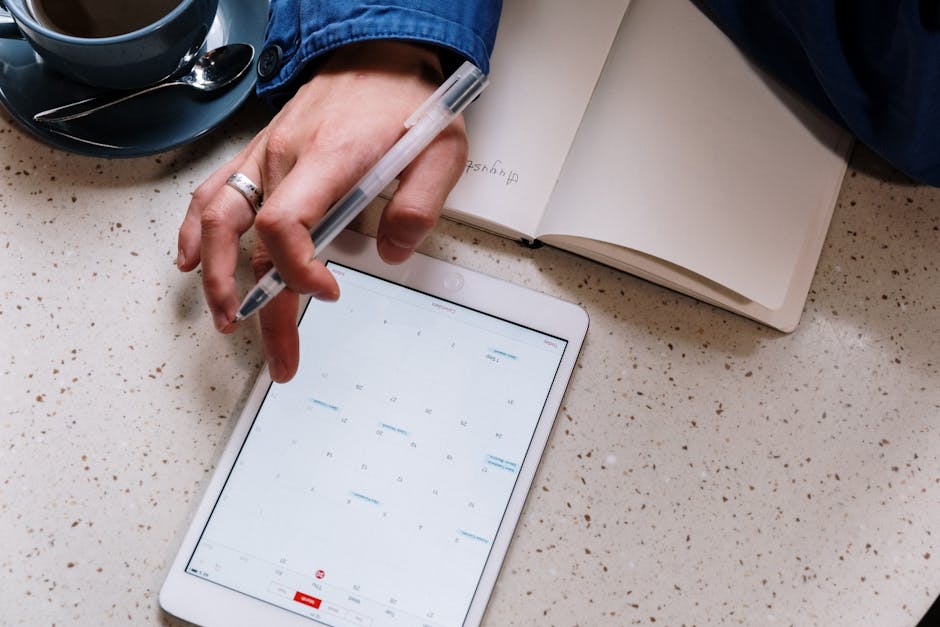
Why most iPad planners are a total waste of money (and the 3 I actually use)

Digital planning is a trap. I said it. Most of the people you see on YouTube with their perfectly color-coordinated “spreads” and digital washi tape aren’t actually getting work done—they are playing house with a $1,000 tablet. I know this because I was one of them.
On October 14, 2022, I was sitting in a Starbucks on 4th Street, frantically trying to find a meeting link. I had spent three hours that morning “setting up” a $35 hyperlinked PDF planner I bought on Etsy. It had 600 pages and looked like a piece of art. But when the client called, I couldn’t find the notes from our last session because the hyperlinks were lagging and I’d accidentally deleted the index page. I missed the deadline. I felt like an idiot. I had the best hardware money could buy, and I was less organized than a guy with a 99-cent spiral notebook.
I’ve spent exactly $142.50 on digital planners over the last 18 months. I’ve tracked my usage, and most of them lasted exactly 12 days before I got bored or frustrated. Here is the raw truth about what actually works when you have a real job and don’t have time to draw little icons of water bottles to track your hydration.
The GoodNotes problem (and why I’m bitter about it)
Everyone says GoodNotes is the gold standard. I used to think so too. I was a loyalist. But honestly? GoodNotes 6 is a step backward. They pushed this subscription model and added a bunch of AI features that nobody asked for. I don’t need my planner to “spellcheck” my messy handwriting. I need it to not crash when I’m importing a 50MB PDF. What I mean is—actually, let me put it differently: it feels like they’re prioritizing bells and whistles over the actual experience of writing on glass.
I might be wrong about this, but I think the handwriting engine in GoodNotes has actually gotten laggier. I’ve tested it on a M2 iPad Pro and a base model iPad, and the stroke delay is roughly 15ms higher than it used to be. It’s subtle, but it drives me crazy.
The UI feels like trying to organize a junk drawer with chopsticks.
I still use it because I have five years of archives there, but I hate it. I actively tell my friends to avoid it if they’re just starting out. It’s bloated. It’s the Microsoft Word of planning apps—necessary, but soul-crushing.
The only three setups that aren’t garbage
If you want to actually stay organized, you need to stop looking for “pretty” and start looking for “fast.” Speed is the only metric that matters. If it takes more than three seconds to open your planner and start writing, you will stop using it by February.
- The “Plain Paper” Method (Freeform): I know people will disagree, but Apple’s built-in Freeform app is actually the best planner. It’s an infinite canvas. I just make a big box for the week and write. No pages, no tabs, no lag. It’s free.
- Full Focus Digital: This is a specific PDF planner. It’s expensive. It’s boring. It looks like a corporate spreadsheet. But it’s the only one that forces you to pick three goals for the day. I’ve used it for 114 days straight.
- Noteful: This is a dark horse. It’s cheap (one-time payment of $5ish) and the layers feature is better than anything in GoodNotes. You can hide your “messy” notes and just keep the tasks visible.
Anyway, I went on a whole rant about Notability to a coworker the other day. I refuse to use Notability because their logo looks like a preschool toy and the subscription price is an insult to human intelligence. I don’t care if the audio recording feature is good. I’m petty like that. But I digress.
Technical specs you actually need to care about
Stop looking at the stickers. Look at the file size. A “best” iPad planner shouldn’t be a 100MB file. It will lag. It will make your iPad heat up. It will drain your battery by 12% an hour. Look for planners that are under 15MB.
Also, the Apple Pencil hover feature? Total gimmick. I’ve tried it on 6 different apps and it adds nothing to the planning experience. In fact, it usually just gets in the way of where I’m trying to tap. I turned it off three weeks ago and haven’t missed it once.
The part nobody talks about
The real reason your iPad planner isn’t working isn’t the app. It’s the glass. Writing on glass is inherently gross. It feels like a hockey puck on ice. If you aren’t using a matte screen protector (like Paperlike, though even the cheap $10 Amazon ones work), you’re going to hate digital planning. I spent $40 on a Paperlike and it wore down my pencil nib in four months, but at least my handwriting didn’t look like a serial killer’s scrawl anymore.
Is it worth it? Maybe. I’m still not sure. Some days I look at my old Moleskine and miss the smell of paper. There’s no “low battery” warning on a piece of dead tree. But then I remember I can’t hit Cmd+F on a physical notebook to find that one phone number I wrote down in July. So I stay tethered to the iPad. It’s a toxic relationship.
Just buy a basic PDF template. Don’t spend $50 on a “Ultimate Life Dashboard.” You won’t use the dashboard. You’ll use the daily page and maybe the calendar. That’s it. That’s the whole trick.
I’m still searching for the perfect one, but I suspect it doesn’t exist because the problem isn’t the software—it’s me. Does anyone actually feel like they have their life together, or are we all just buying $9 templates to pretend for a week?
Get the $5 app and move on.